Suppa




Plan the week’s dinners in one tap.
Find meals you’re excited to eat, make a plan, and get your grocery list sorted. Suppa helps you get dinner on the table.


Scan to get Suppa on your iPhone
Free to download. No card needed.
Or use Suppa in your browser on a computer or Android phone.
An animation of the Suppa app: recipes saved from TikTok, Instagram, YouTube, recipe sites, cookbook photos, notes and PDFs land in your recipe book; Plan my week puts a dinner on each night; a second phone shows the same plan and grocery list updating together; Ask Suppa plans next week around your family; friends share their takes on recipes; and Cook Mode walks through tonight's dinner, step by step.
“This app has changed the way my family does dinners. We use it every single day for planning, groceries, and cooking.”
How it works
How a saved video becomes Tuesday's dinner.
Save it
Share a TikTok, Instagram, or YouTube post, paste any recipe link, or snap a cookbook page on iPhone. All free.
Plan it
One tap puts it on your plan. Move it when the week changes.
Shop it
Add the ingredients to your grocery list, grouped by aisle, or send them to Instacart.
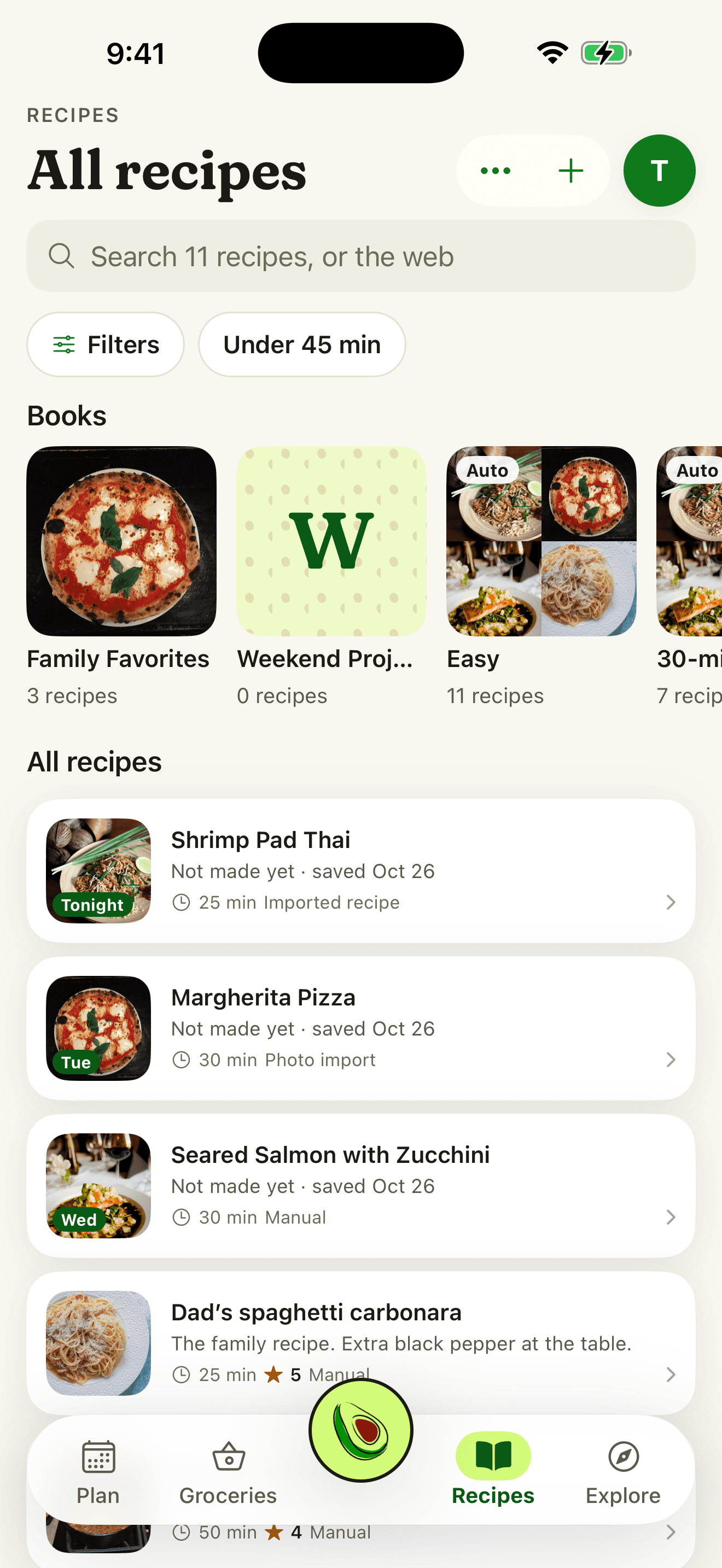
From wherever you find them.
- TikTok, Instagram, and YouTube posts
- Any recipe site
- The share sheet, on iPhone
- Cookbook photos, on iPhone
- Your own recipes
Suppa Plus
Help deciding, when you want it.
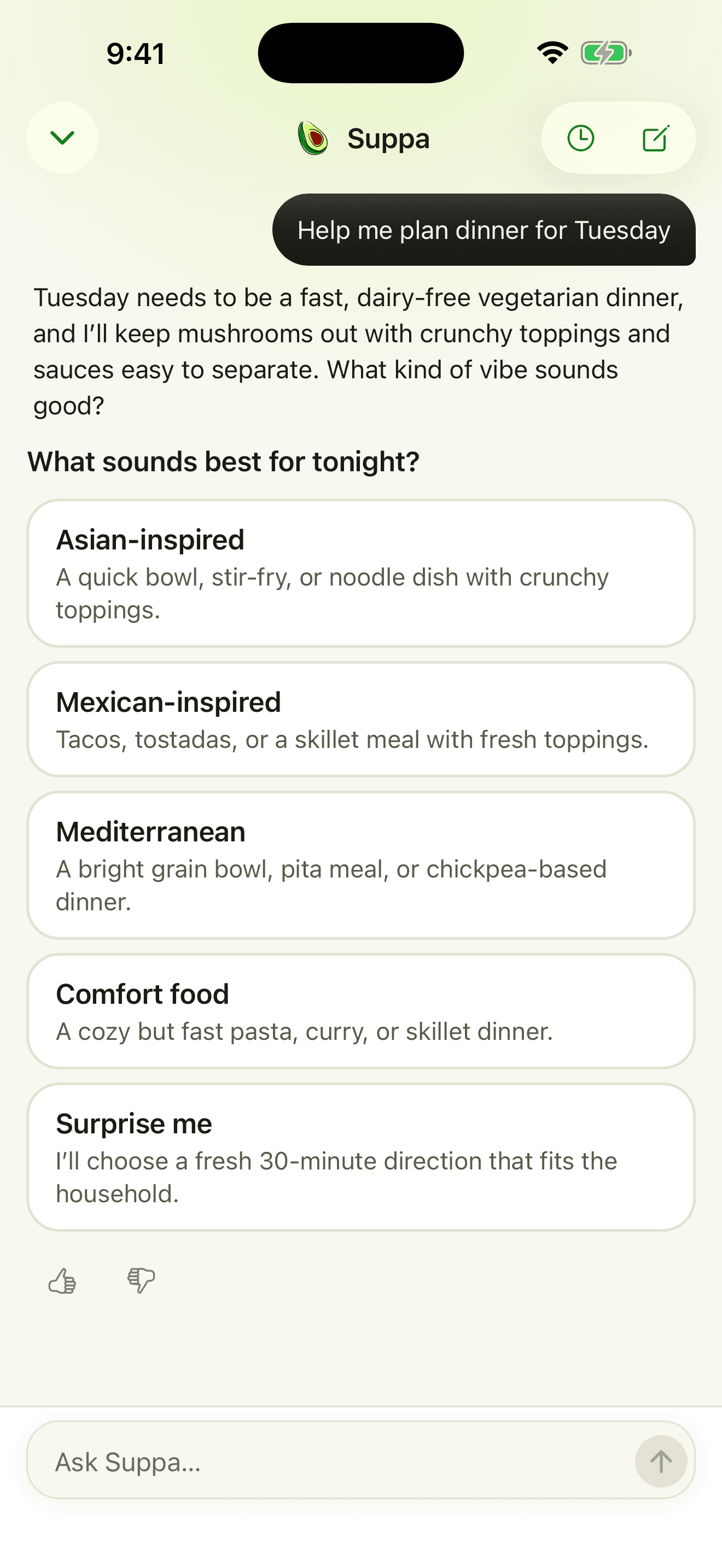
The Suppa Assistant plans with your recipes and your household's tastes.
Far more messages Plan every week with Suppa, around your household's tastes.
More imports Bring in more videos and cookbook photos each month.
Recipes on request Ask for something new and Suppa writes it.
Kroger cart filling At Kroger-family stores, once you approve the cart.
With Plus and Premium. If you're eligible for a free trial on iPhone, you'll see it before you subscribe.
Android and computers
Suppa works in your browser, too.
On an Android phone or a computer, sign in at suppa.cooking. It's the same account as the iPhone app, so your plan, grocery list, and recipes are all there.
In the browser
- Your meal plan and grocery list
- Recipes saved from links, including TikTok, Instagram, and YouTube posts
- Cook Mode
- The Suppa Assistant
- Shared plans with your household
- Plus and Premium subscriptions
Importing photos, saving from the share sheet, and Lock Screen timers need the iPhone app. There's no Android app yet.
Pricing
Start free.
Free
$0
Save, plan, shop, and cook.
- Recipe book and search
- Import from TikTok, Instagram, YouTube, and links, plus cookbook photos on iPhone
- Save from the share sheet on iPhone
- Meal planning
- Grocery lists grouped by aisle
- Shared meal plans and grocery lists
- Instacart ordering
- Cook Mode with timers
- A few Suppa Assistant messages each week
Plus
$9.99/mo
Everything in Free, plus:
- Far more Suppa Assistant messages
- More video and photo imports
- AI recipe generation
- Kroger cart filling (Kroger-family stores)
Premium
$19.99/mo
Everything in Plus
- Higher AI and import limits
Subscribe in the iPhone app or on the web. If you're eligible for a free trial on iPhone, you'll see it before you subscribe. Annual billing saves 42%. Cancel anytime.