 Suppa

Weekly meal planning
Plan this week's dinners and the grocery list that goes with them.
A weekly meal plan helps when it's quick to make and easy to change. In Suppa, you put recipes you like on the nights you're cooking, move a dinner when Thursday gets busy, and add the ingredients to a grocery list grouped by aisle. When you're out of ideas, Suppa can suggest dinners too.
Free on iPhone.
On Android, use it in your browser.
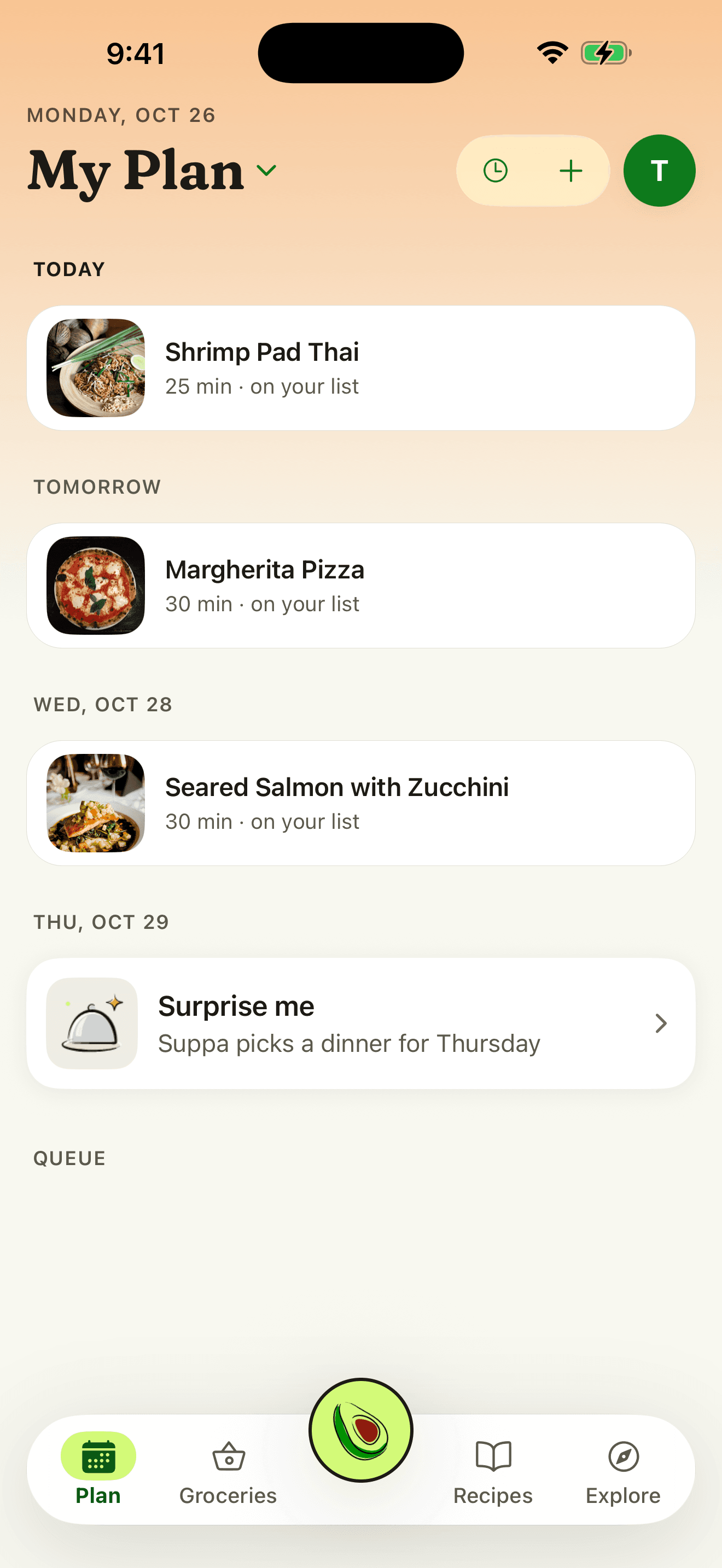
Plan a week of dinners
Start with recipes you like
Save them from recipe sites, TikTok, Instagram, and YouTube posts, or photos, or search for a dish by name. Your recipe book is where the week's dinners come from.
Put them on the nights you're cooking
From a recipe, tap Add to plan and pick a night. Plan only the nights you need and leave the rest open.
Ask for ideas when you're stuck
On an empty week, tap Plan my week and Suppa suggests dinners for the open nights. You decide what stays.
Add the groceries
Add a planned dinner's ingredients to your grocery list when you're ready to shop. It's grouped by aisle, skips pantry staples you have, and can go to Instacart.
When the week changes
- Move a dinner. Move it to another night when plans change, or take it off the plan.
- Leave nights open. Nothing asks you to fill all seven. Leftovers, takeout, and nights out can stay open.
- Plan together. Free on every plan. Send an invite link, and each person signs in to their own account to see and change the same plan and grocery list.
Tips for a weekly plan that holds up
- Plan three or four dinners. That leaves room for leftovers and the night everyone's too tired to cook.
- Repeat what works. Most weeks can include a dinner your household already likes. Keep the favorites in your recipe book so they're quick to add.
- Match each dinner to its night. Put the quickest recipe on your busiest night, and save the one that takes an hour for the weekend.
- Check the list before you go. Swipe items you already have, like olive oil, into Pantry staples, and they come off the list.
Questions
Can I plan only some nights?
Yes. Put dinners on the nights you're cooking and leave the rest open.
Does planning a dinner add its groceries?
Not by itself. When you're ready to shop, add a planned dinner's ingredients to the grocery list, and Suppa groups them by aisle.
Does it work on Android?
Yes. Sign in at suppa.cooking to plan the week, make the grocery list, and share it. There's no Suppa app for Android yet. On Android, Suppa runs in your phone's browser.
Is Suppa free?
Yes. Importing from links, videos, and photos is free, and so are meal planning, grocery lists, shared plans, and Cook Mode. The free plan also includes a few Suppa Assistant messages a month. Suppa Plus adds far more, plus more video and photo imports each month. Paid plans start at $9.99 a month. If you're eligible for a free trial on iPhone, you'll see it before you subscribe.
Can my partner see the plan and the grocery list?
Yes, and it's free. Send them an invite link to a shared plan. You each sign in to your own account, see the same week and grocery list, and check things off as you shop, without a subscription.
Make this week's dinner plan
Free to download. No card needed.
On Android or a computer, use Suppa in your browser.
Updated October 29, 2026.